

Workflow automation in project management is the process of using software to automatically perform repetitive tasks according to predefined rules, without human intervention. This approach, also known as workflow automation, reduces manual errors, speeds up execution times, and frees teams to focus on tasks that require judgment and creativity. Italian SMEsthey waste an average of 23 hours per weekper person in repetitive manual activities. Recovering even just part of that time changes the productivity of the entire organization.
What is workflow automation in PM and how does it work?
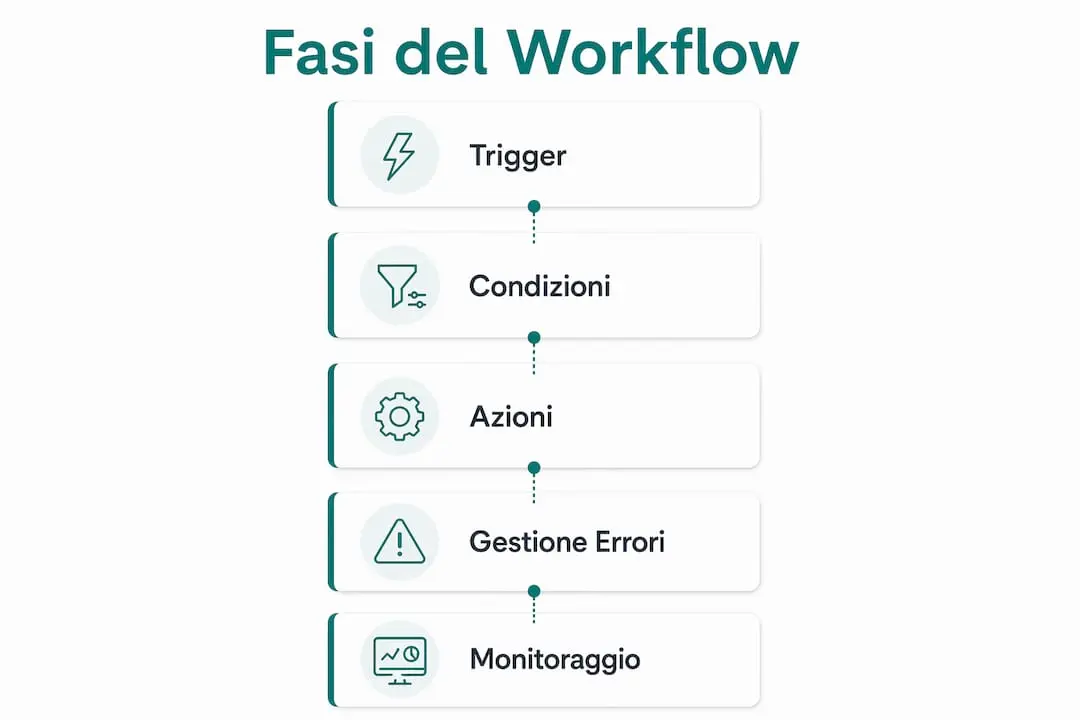
An automated workflow is built on three fundamental elements: triggers, conditions and actions. Thetriggers, conditions and actionsdefine the entire automation. A concrete example: the arrival of a new email from a customer (trigger) activates an IF/THEN rule (condition) which automatically creates a task in the project management system and notifies the manager (action).

In project management workflow, these three elements combine to manage processes such as approving documents, updating progress and sending periodic reports. The IF/THEN logic allows you to manage even complex scenarios, with alternative paths based on project conditions. Automated workflows reduce the execution time of repetitive tasks by 3–5 times compared to manual work. This means that a process that takes up an hour a day can be completed in less than 15 minutes.
Error management and traceability
A well-designed automation system also includes exception handling. When a flow encounters an error, the system mustnotify the person responsibleor pause the task, preventing the problem from spreading silently. The audit trail, i.e. the detailed register of every action performed by the system, guarantees transparency and facilitates problem resolution. This traceability is also valuable for regulatory compliance, for example in GDPR or ISO 9001 contexts.
The role of no-code platforms
No-code and low-code platforms have changed the way teams build automations. With drag-and-drop visual blocks, even those new to programming can create complex workflows. The learning curve to build automations of medium complexity independently is 10–20 hours. A project manager with a week of practice can already automate the most common processes of his team.
A tip: Before building any automation, draw the manual process on paper or a digital whiteboard. Identifying redundant steps before automating avoids replicating inefficiencies in the system.
What are the advantages of workflow automation in projects?
Process automation brings measurable benefits right from the first weeks of adoption. The most immediate advantage is time saving: automation allows you to recover 4 to 6 hours per week per employee, freeing them from tasks such as manual data entry. On a team of ten, this equates to 40–60 hours per week given back to higher-value activities.
The main benefits for Italian project teams are:
- Reduction of human errors:automated processes always follow the same rules, eliminating the oversights typical of repetitive manual work.
- Process consistency:every project follows the same approved flow, regardless of who manages it.
- Transparency and auditability:thedetailed audit trailrecords every system action, making it easy to understand what happened and when.
- Increased team capacity:Employees freed from repetitive tasks focus on analysis, customer relations and complex decisions.
- Process scalability:an automated flow handles ten or a hundred tasks with the same effort.
Consistency is often the most underrated advantage. A manual process varies based on the experience and attention of the individual. An automated process always produces the same result, making the quality of work predictable and measurable.
Which tools to choose for workflow automation in project management?
Choosing the right tool depends on three factors: the complexity of the processes to be automated, the available budget and the technical skills of the team. There are three main categories of tools.
| Category | Features | Suitable for |
|---|---|---|
| No-code platforms (Make, Zapier, n8n) | Visual interface, no programming, integration with hundreds of apps | Non-technical teams, SMEs, standard processes |
| Low-code platforms | Some customizations via code, greater flexibility | Team with internal developers, complex processes |
| BPA and RPA enterprise | Automation of legacy systems, bots that replicate human actions | Large enterprises, high-volume critical processes |
No-code tools like Make, Zapier, and n8n allow non-technical people to build even complex automations with drag-and-drop visual blocks. This accessibility has democratized automation, bringing it out of IT departments and directly into the hands of project managers. The democratization of no-code tools is making automation accessible even to teams without programming skills.
How to evaluate complexity before choosing
Before selecting a tool, evaluate the number of systems to integrate, the frequency of the processes and the volume of data processed. A process as simple as automatically sending a weekly report can be managed with any no-code platform in less than an hour. A process involving ERP, CRM and billing systems requires a platform with native connectors or robust APIs. To evaluate the degree of readiness of business processes for automation, tools such asProcess Readiness Toolof Viniciolupo help identify where to start.
A tip: Start with a pilot on a single, low-risk process. Measure results after four weeks, then scale the automations that worked. Avoid automating everything at once.
How to implement workflow automation successfully
An effective implementation follows a precise sequence. Skipping the first steps is the main cause of failures.
- Map the manual process as-is.Document each step of the current process, who performs it, and how long it takes. This photograph is the basis of everything.
- Identify bottlenecks.Look for steps that slow down the flow, generate errors, or depend on one person. These are the priority candidates for automation.
- Use the impact/complexity matrix.Classify processes based on expected benefit and technical difficulty. Start with quick win processes with high impact and low technical complexity.
- Calculate the expected ROI.Compare setup and licensing costs with the value of time saved. Typical ROI in SMBs reaches break-even in 6–14 months.
- Standardize incoming data.Without homogeneous input rules, automation fails. Standardization of upstream data with common nomenclatures and standard templates is a prerequisite, not an option.
- Manage change.Involve the team from the beginning. Resistance arises when people perceive automation as a threat to their role, not as a support.
- Schedule maintenance.Automated flows need to be updated when processes or integrated systems change. A periodic verification plan prevents the automations from becoming unusable over time.
The most counterintuitive point is the fifth: automating an inefficient process only leads to speeding up chaos. First the manual process is optimized, then it is automated. This order is non-negotiable.
A tip: Assign a “corner” to each automated flow. This person is responsible for monitoring, updates, and reporting issues. Without an owner, automations silently degrade.
Key points
Automation of workflows in project management reduces operational times, eliminates manual errors and frees teams for higher value activities, as long as processes are mapped and optimized before automating them.
| Point | Details |
|---|---|
| Basic structure of the automation | Each flow is made up of triggers, IF/THEN conditions and actions that execute the process automatically. |
| Real time saving | Automation recovers 4–6 hours per week per employee, reducing repetitive work. |
| Mandatory preventive mapping | Documenting the manual as-is process before automating avoids replicating inefficiencies. |
| Accessible no-code tools | Platforms like Make, Zapier, and n8n allow non-technical teams to build automations in 10–20 hours of learning. |
| Measurable ROI | Break-even in SMEs typically occurs in 6–14 months, calculating setup costs versus time saved. |
Because workflow automation really changes the way you manage projects
I have seen many Italian teams approach automation with enthusiasm and then stop after the first few weeks. The problem was almost always not the instrument. It was that they had automated processes that had never worked well even by hand.
The most important lesson I've learned from working with project teams is this: automation amplifies what already exists. If the process is clear and well defined, automation makes it fast and reliable. If the process is confusing, automation makes it confusing faster.
The other mistake I often see is treating automation like an IT project. It's not. It is an organizational project that requires the involvement of the people who use those processes every day. A project manager who understands their workflow builds better automations than any external developer who doesn't know the context.
The good news is that the technical barriers have fallen. With today's no-code platforms, a motivated team can automate the most common processes in just a few weeks. The real investment is not in the software. It's in the time dedicated to understanding how it really works, before changing something.
— Vinicio
ControlRoom AI and the automation of project processes
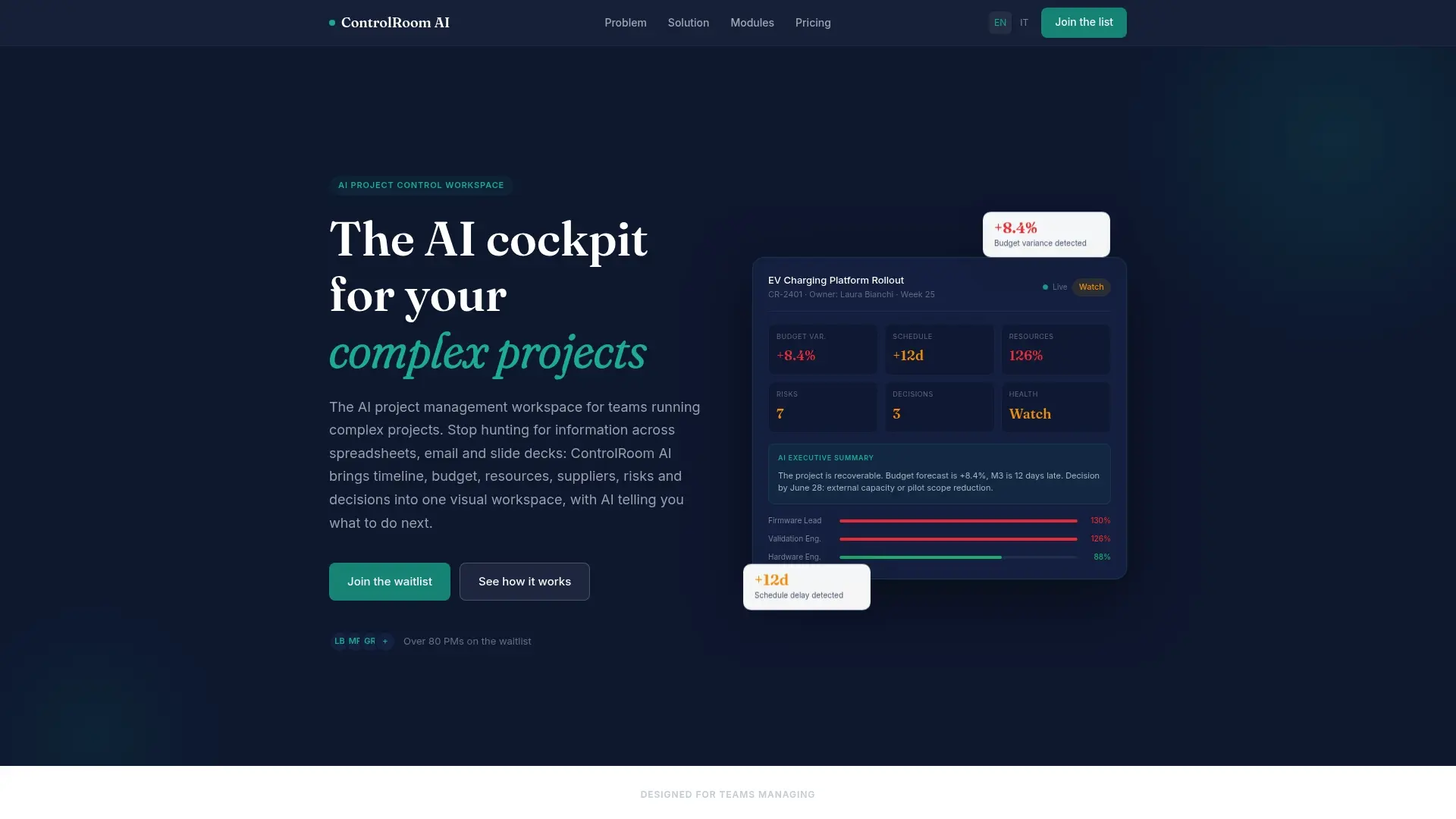
Viniciolupo has developedControlRoom AIas a workspace for teams managing complex projects with built-in automation and artificial intelligence. The platform combines workflow management, process monitoring and decision support in a single environment, designed for Italian managers and teams working on technical and research and development projects.
For those who want to start methodically, theAI Process Intelligence resourcesof Viniciolupo offer practical methodologies to define, measure and automate project processes. ControlRoom AI is available for teams looking for a structured approach to automation, without having to integrate dozens of separate tools.
Frequently asked questions
What is workflow automation in project management?
Workflow automation in project management is the use of software to automatically perform repetitive tasks according to predefined rules, based on triggers, conditions and actions. It reduces manual work and increases the consistency of project processes.
Which processes should be automated first?
It is best to start with processes with high impact and low technical complexity, such as sending notifications, updating progress and generating periodic reports. These processes deliver quick results and allow the team to gain confidence with the tools.
How long does it take to learn how to use a no-code tool?
The learning curve for building medium-complexity automations with no-code tools is 10–20 hours. After this initial phase, a project manager can build and modify flows independently.
What is the typical ROI of workflow automation in SMEs?
Break-even for Italian SMEs is typically reached in 6–14 months, comparing setup and licensing costs with the value of time saved. The precise calculation depends on the number of automated processes and the hourly labor cost.
How do you avoid automating inefficient processes?
The rule is to map and optimize the manual process as-is before automating it. Automating an inefficient process just means doing something that doesn't work faster: the result is worse, not better.