ControlRoom

ControlRoom use cases

Illustrative scenarios to check in the demo: project reviews, budget and risk governance, decision traceability and portfolio steering.

Three illustrative scenarios, not client cases: they report no frequencies, measured results or user experiences. They help decide what to check in the demo.

Technical consulting with recurring client reporting

Scenario: a technical consulting or system-integration practice with several active projects, each needing a recurring status report for the client or for internal management.

  • A possible starting point: each report is rebuilt by hand from spreadsheets and exported tickets, and comparing two reports or finding last month’s numbers takes extra work.
  • To check in the demo: the project cockpit produces an immutable snapshot that can be exported to PDF and sent by email, with a comparison against a previous snapshot of the same project.
  • Minimum input: at least one real project with a budget line and periodic progress updates, plus the list of people who should receive the report.

Engineering firm running a fixed-budget project portfolio

Scenario: an engineering firm with several fixed-budget projects, each with its own committed costs, vendor commitments and forecast to completion.

  • A possible starting point: actual and committed costs live in separate files per project, and a critical budget trend only surfaces at periodic close, when correcting is harder.
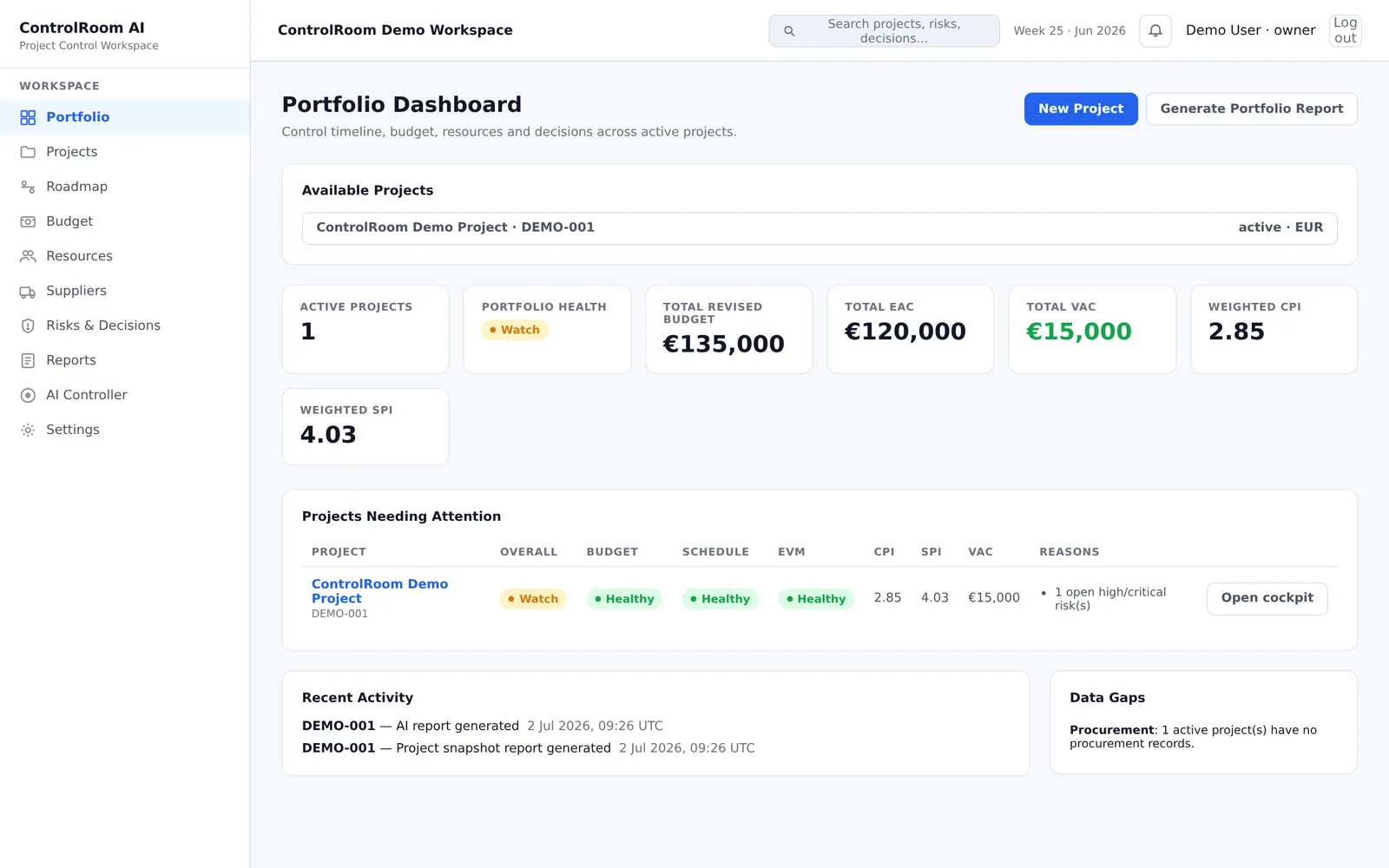
  • To check in the demo: the budget panel tracks actual costs, commitments and forecast against the Estimate at Completion, and the portfolio dashboard ranks the projects needing attention by computed variance.
  • Minimum input: a budget baseline (BAC) and actual/committed cost figures for at least one project — even from a spreadsheet you already keep today.

System integrator with decisions scattered across projects

Scenario: a system-integration practice with several implementation projects, each accumulating its own risks, open issues and decisions made along the way.

  • A possible starting point: those decisions are scattered across email threads, meeting notes and chat, and reconstructing why a choice was made takes time.
  • To check in the demo: the decision log ties every choice to the project state at the time it was made, and an open high-severity risk surfaces as a signal in the cockpit.
  • Minimum input: the risks, issues and past decisions for at least one project, written down anywhere today — even informally.
The ControlRoom portfolio dashboard with projects needing attention
Portfolio steering — demo environment with sample data

For small engineering, consulting and system-integration practices

ControlRoom is built for R&D/engineering PMs, PMOs and project leads who coordinate several projects in parallel and want to know where to look before a review or steering meeting, with missing data declared, not masked. Engineering, technical consulting and system integration are application contexts, not exclusive categories.

Request free demo access
From the ControlRoom blog

How to Migrate Off Microsoft Project Online Before It Retires

Project Online retires on September 30, 2026. Here is what you lose access to, what to export and in what order, and how to decide what replaces it.

Read article

How to Turn Project Data Into Actionable Decisions

Project analytics should do more than visualize data. It should connect trusted facts, variance, trends and relationships to the decisions that require management attention.

Read article

What Executives Need to See in a Project Dashboard to Make Better Decisions

An executive project dashboard should not summarize everything happening in a project. It should make the few things that require leadership attention immediately visible.

Read article