
Gantt plan and Kanban
Activities, tasks and milestones with explicit saves: what you see is what you saved.
For R&D/engineering PMs and technical consulting: bring your project data together, spot delays, blocks and overruns, and verify the evidence behind every AI review.
Individual account · No credit card · 2 active projects
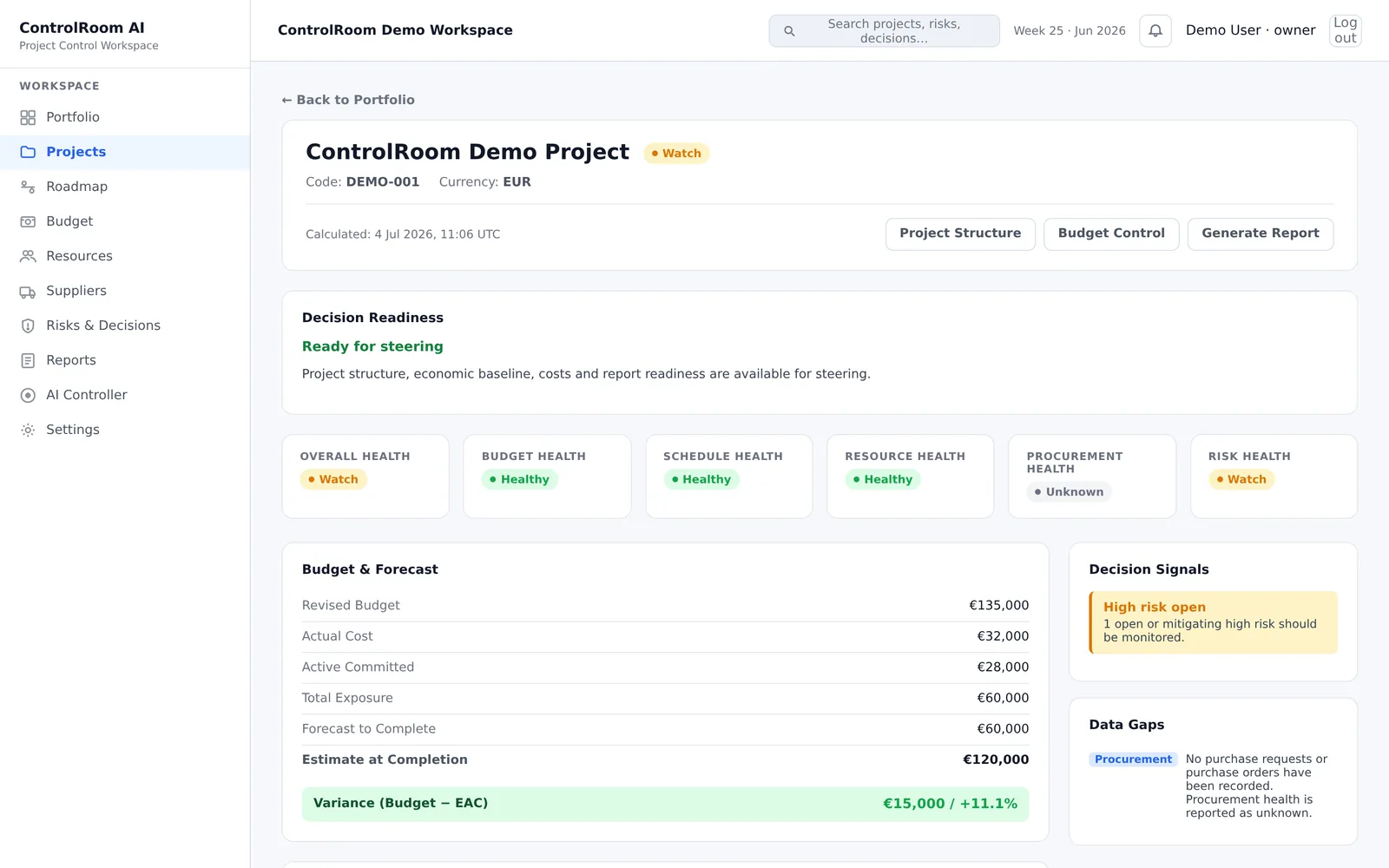
Not a roadmap promise: these modules work right away in the Free plan after sign-up. Quotas are declared at the bottom of this page and on the plans and pricing page.
Activities, tasks and milestones with explicit saves: what you see is what you saved.
One total project budget, with actual and committed costs classified by category, original currency, EUR equivalent and system conversions.
Overruns, blocks, delays and missing data surface first — on mobile too — before any AI interpretation.
Up to 2 AI reviews per week: facts, gaps, actions and instructions, every statement cited to its source.
Native files with consistent fonts and colours and your real project data: 3 one-time exports per account.
Bilingual interface, essential accessibility and a skippable contextual tutorial.
Technical PMs, R&D/engineering and technical consulting/system integrators managing projects individually. Single-user management, manual data entry: no sync with the tools you already use.
Before ControlRoom, most teams in this position patch together one of these.
No hidden counting behind an upgrade screen: the quotas are part of the promise.
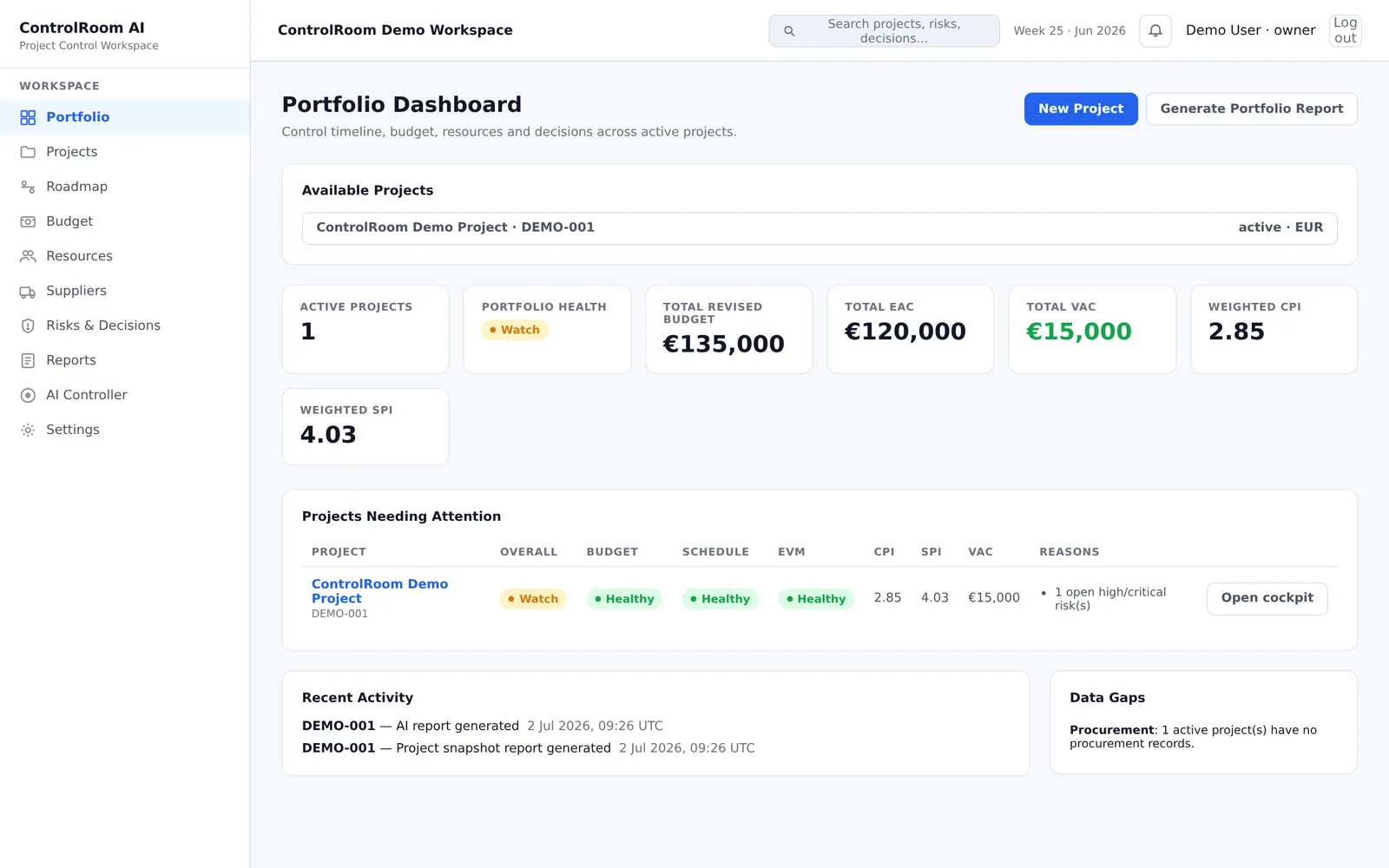
The AI review is part of the Free plan: up to 2 successful ones per week. It starts from immutable, automatically calculated snapshots, not free text; every statement cites the evidence it derives from; numbers that do not exist in the source data are rejected; every generation is audited. The deterministic cockpit engine stays the base: AI never changes your data.
Data transparency: for requested reviews only, the project data needed goes to the AI provider (OpenAI, gpt-5.4-mini); free text is not guaranteed anonymous.
It is the same principle I apply in my AI and governance consulting: a verifiable data foundation first, assisted interpretation second.
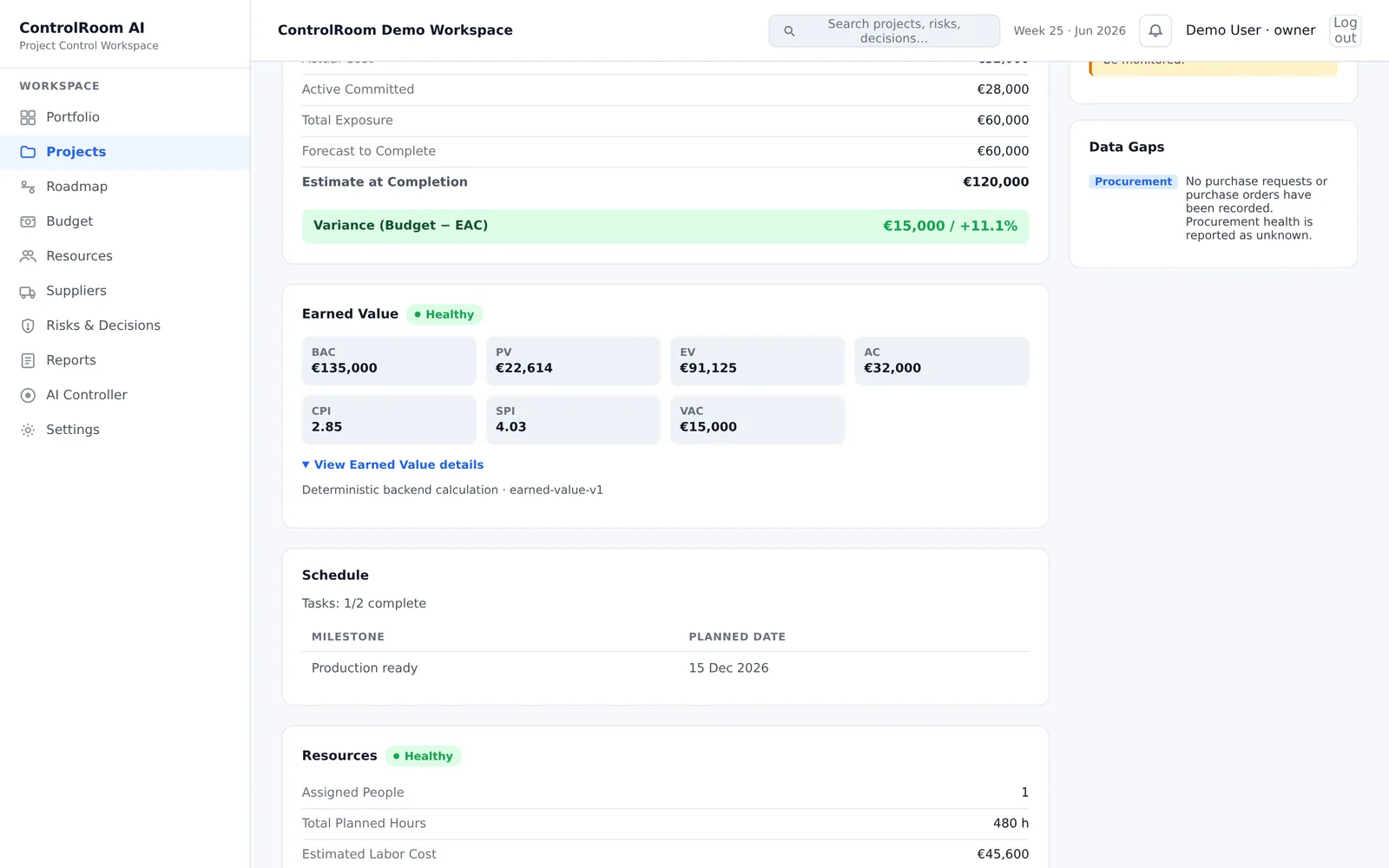
Every signal traces back to the record it comes from: a budget entry, a cost entry, a blocked task, a deadline.
Missing data and uncertainty remain visible. Where there is no data, the cockpit says “unknown” instead of inventing an average.
The view is organized around what needs attention, ownership or a decision — not around producing yet another report.
Data lives on a dedicated VPS in the EU (Hetzner) with a dedicated PostgreSQL database, isolated per workspace. Platform administrators can access workspaces for support, security and maintenance: every access is operational, audited and not shared with third parties.
Yes, for the reviews you request: the AI provider (OpenAI, gpt-5.4-mini model) receives the project data needed for the review, selected by the service. Free text is not guaranteed anonymous: do not put sensitive data in free-text fields. No review runs without your explicit request.
A free account, no credit card: sign-up with email verification, then your first project starts empty with a General phase. The Free plan includes 2 active projects, 5 archived and a separate uncounted demo; 2 successful AI reviews per week; 3 one-time PDF or PPTX exports per account. Paid plans are in development.
Every project exports to native PDF and PPTX with real data; reports stay viewable for 30 days and are kept for 12 months. Workspace deletion happens with an explicit intent and a completion certificate. For an assisted personal-data request there is email support.
ControlRoom is built and operated by one person today: there is no dedicated support team and no formal SLA. That is a real limit, not a hidden one: do not rely on ControlRoom where guaranteed uptime or support response times are a hard requirement. What you keep regardless: every report you generate exports and stays usable outside the product.
Not included: enterprise identity (SSO, MFA, invitations), integrations or imports from the tools you already use, multi-user collaboration (the account is individual) and document workflows beyond PDF/PPTX export. See the public roadmap for what is available now, what is in validation and what comes next.
I’m Vinicio Lupo, an AI Process Intelligence advisor working across engineering, project management and automation. I built ControlRoom after seeing the same pattern in different contexts: teams with data and tools that still struggle to see what is really happening, where budgets and risks drift, and which decisions remain open. I apply here the same approach I use in advisory work: structure first, automation second.
My professional backgroundControlRoom Free has been live since 18/10/2026 with open registration and the quotas declared above. What remains in validation is the fit with real contexts: no client cases, no published results, no savings promises. Not included: enterprise identity (SSO, MFA, invitations), integrations or imports from existing tools and multi-user collaboration. The public roadmap is honest about what is available, what is in validation and what comes next.
Read the roadmapControlRoom applies the AI Process Intelligence method to project governance. If you need a process assessment before any software, see how I work or get in touch.
Sign-up with email verification, no credit card: 2 active projects, 2 AI reviews per week and 3 PDF or PPTX exports. If you first want to check the fit, request the guided demo.
Start freeRequest the guided demo