

Remote team collaboration tools are digital platforms that facilitate communication, project management, and document sharing between people working in different locations. Theremote working increased by 115%in recent years, making these tools an integral part of any IT infrastructure. 86% of professionals report an improvement in productivity thanks to remote collaboration tools. For a manager or IT professional, choosing the right tools is not a matter of preference: it is a decision that determines the quality of the entire team's daily work.
What are the main categories of remote collaboration tools?
The digital collaboration market is divided into four families of tools, each with a specific role in the workflow of a distributed team.
-
Communication tools:they include messaging platforms organized by thematic channels and video conferencing tools. They handle both synchronous communication (meetings, calls) and asynchronous communication (messages, updates). The audio and video quality, the stability of the connection and the ability to record sessions are the features that distinguish professional solutions from consumer ones.
-
Project Management Software:they cover task planning, assigning responsibilities, tracking deadlines and visualizing workflows. Companies that use project management software experience 42% higher operational efficiency. This data indicates that the benefit is not marginal: it is a measurable impact on the ability to deliver results.
-
Document sharing platforms:they allow real-time co-editing, version control and access permission management. They often integrate corporate wiki and structured knowledge base functions.
-
Time tracking and automation tools:they track the time spent on each project and automate repetitive tasks such as sending notifications, updating statuses or generating reports. They reduce administrative burden and free up time for high-value work.
How to choose the most suitable collaboration tools for your team
Choosing the right tools starts from the analysis of the real operational gap, not from the list of available features. A team that struggles with asynchronous communication needs different solutions than one that wastes time managing deadlines.
-
Identify the core problem.Before evaluating any software, map out where the team wastes the most time or generates the most errors. The answer guides the category of instrument to search for.
-
Check compatibility with the existing ecosystem.Theintegration with Microsoft 365 or Google Workspaceit is crucial to avoid information silos. A tool that does not connect to others generates duplication and a desperate search for information.
-
Evaluate the real ease of use.A tool with one hundred features that the team doesn't use is less effective than one with twenty features used every day. Have a team member test the tool without prior training – the learning curve will quickly emerge.
-
Consider usage governance from the start.Defining clear rules on response times, channels to use for each type of communication and availability times prevents burnout. Lerules of engagement for digital toolsthey improve collaboration and protect team well-being.
-
Plan training as part of the project.Adoption fails more due to lack of training than due to technical limitations of the software. Include onboarding sessions and hands-on workshops in your implementation plan.
A tip: Before purchasing an enterprise license, activate a trial period with a small group of 5–8 people. Adoption problems emerge in weeks, not months.
Key features of distributed team software

The most popular remote team software stands out for its operational focus.Tools like Notion, Asana, and monday.comthey differ in specific functions and uses: Notion excels in knowledge management, Asana in complex workflows,monday.comin process visualization. Knowing these differences helps you choose based on the real gap of the team, not on the popularity of the brand.
Messaging organized by channels
Structured messaging platforms divide conversations by project, department or topic. This reduces information noise and allows you to quickly find decisions made in the past. Features to evaluate include advanced message search, integrations with project management tools and granular notification management.
Video conferencing with professional quality
Professional-grade video conferencing platforms offer automatic recording, meeting transcription, separate breakout rooms, and integration with company calendars. Audio quality matters more than video quality: a connection with distorted audio blocks the meeting, while a reduced video resolution is tolerable.
Project management with multiple views
Project management software for remote teams offers Kanban, Gantt, and timeline views to accommodate different work styles. Built-in automations, such as automatically changing status on deadline or assigning tasks upon completion of a prerequisite, reduce manual coordination work. For IT and R&D teams, the ability to link tasks to project objectives is a difference-making featuremanagement of complex projects.
All-in-one platforms
All-in-one platforms integrate messaging, project management and documentation into a single environment. They eliminate the need to constantly switch from one application to another, reducing the cognitive load. The risk is complexity: a tool that does everything can become difficult to structure without careful information design.
Artificial intelligence features
The latest software integrates AI functions for the automatic summary of meetings, the generation of preliminary version reports, the prioritization of activities and the detection of risks in projects. TheAI applied to project managementit does not replace the manager's judgment: it speeds up routine operations and brings to the surface information that would otherwise remain buried in the data.
How to implement tools into your team's workflow
The effective implementation of collaboration tools requires structure even before technology. Without clear information design, wikis, databases and procedures become messy archives that increase mental load instead of reducing it. This mistake is repeated in almost every failed adoption.
-
Define the structure before launch.Create the hierarchy of spaces, projects and folders before the team starts using the tool. Correcting the structure after the fact is much more difficult.
-
Establish shared communication rules.Decide which channels to use for urgent communications, which for asynchronous updates, and which for permanent documentation. Write these rules in a document accessible to all.
-
Train the team with practical sessions.The failure to adopt the tools depends more on lack of training and absence of guidelines than on technical problems. A two-hour session with real use cases is worth more than a manual to read.
-
Integrate tools with each other.Connect your project management software with your messaging platform and company calendar. Cross-tool automations eliminate manual steps and reduce update errors.
-
Monitor adoption and collect feedback.After the first four weeks, see which features the team actually uses and which they ignore. Adapt your configuration based on this data, not your initial expectations.
A tip: For the security of team communications and data, consult resources dedicated tosecure management of IT toolsbefore configuring permissions and access on cloud platforms.
Key points
Choosing remote team collaboration tools requires operational gap analysis, integration with the existing IT ecosystem and structured training to ensure effective and long-lasting adoption.
| Point | Details |
|---|---|
| Operational gap analysis | Identify where the team is wasting time before choosing any tool. |
| Integration with the IT ecosystem | Check compatibility with Microsoft 365 or Google Workspace to avoid silos. |
| Structured training | Plan practice sessions: Adoption fails due to lack of training, not technical limitations. |
| Communication rules | Define channels, response times and synchronous/asynchronous modes to prevent burnout. |
| Informative design | Structure spaces and folders before launch to avoid disorganized archives. |
The problem isn't the tool, it's the method
I've seen teams adopt great platforms and use them poorly for years. The pattern is always the same: you choose the tool with enthusiasm, you launch quickly, and after three months the team uses half the features in a chaotic way while the other half is completely ignored.
The inconvenient truth is that most remote collaboration problems are not technology problems. These are methodological problems. A team without clear communication rules will lead to confusion on any platform. A team with defined processes will work well even with less sophisticated tools.
The mistake I see most often in IT teams is technology overload: three messaging tools, two project management tools and an abandoned wiki. Each addition comes from a good intention, but the result is fragmentation. The solution isn't to add a fourth tool: it's to consolidate and define which platform does what.
For managers managing distributed teams, the most helpful advice I can give is this: Spend as much time governing tools as you do choosing them. Shared rules of use are the difference between a tool that works and one that becomes another source of noise.
— Vinicio
Viniciolupo and project management for distributed teams
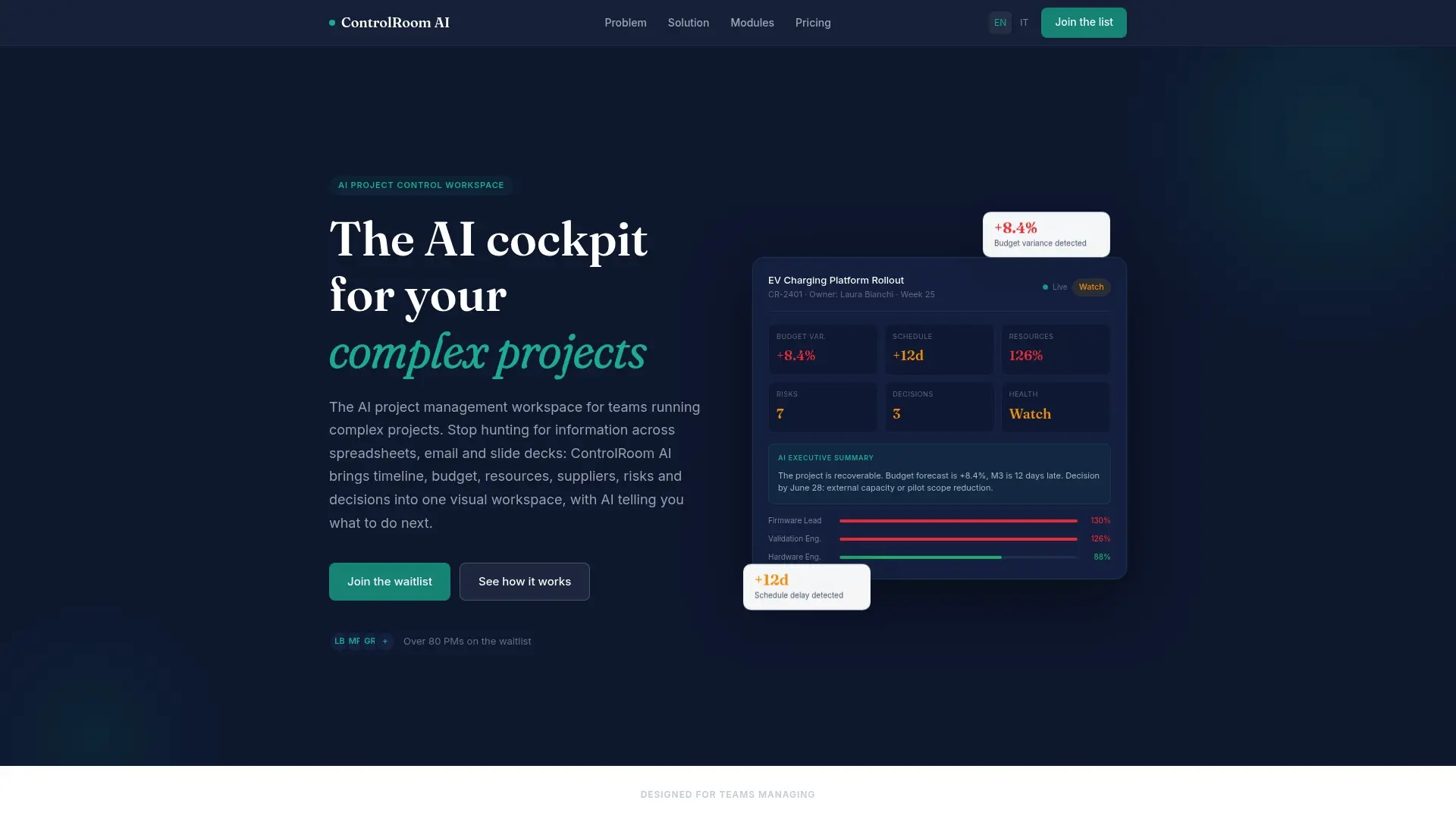
Viniciolupo developed ControlRoom AI to address a specific problem: distributed teams managing complex projects lose visibility into the real state of the work. ControlRoom AI integrates project management, task tracking and artificial intelligence functions into a single environment designed for managers and IT teams. AI capabilities analyze project data and bring risks to the surface before they become problems. For teams working on R&D projects or initiatives with many dependencies, theControlRoom AI platformoffers a centralized view that reduces alignment meetings and accelerates decisions. You can also explore thefree AI toolsavailable for processes, projects and automation.
Frequently asked questions
What are the collaboration tools most used by remote teams?
Popular categories include channel messaging platforms, video conferencing software, and project management tools with Kanban and Gantt views. The choice depends on the specific operational gap of the team.
How do you prevent burnout from notifications in digital tools?
Defining clear rules on response times and separating urgent from asynchronous communications reduces overhead. Shared rules of engagement are the most effective measure against notification burnout.
How many tools should a remote team use?
The ideal number is the minimum necessary to cover communication, project management and documentation. Three or four tools that are well integrated with each other are more effective than six tools used in a fragmented way.
Is integration with Microsoft 365 or Google Workspace necessary?
Yes, for most enterprise teams. Integration with the existing IT ecosystem avoids information silos and reduces time spent searching for information in different places.
How is the effectiveness of the collaboration tools adopted measured?
Track actual adoption after the first four weeks: what features the team uses, how many alignment meetings have reduced, and whether project delivery times have improved. Platform usage data is the most reliable starting point.