
Most project problems do not appear suddenly. A milestone rarely becomes late in a single day. A budget does not usually move from healthy to critical in one update. A supplier delay, an overloaded specialist, an unresolved blocker or a missing decision normally leaves evidence before it becomes visible in the headline project status.
The difficulty is that many project reporting systems are designed to describe the present, not to detect deterioration. They answer questions such as: what percentage of tasks is complete? Is the project green, amber or red? How much have we spent? Which milestones are late?
Those questions matter. But most of them are lagging indicators: they become obvious after the underlying condition has already developed. Effective project monitoring has a different job. It should help a team see the distance between plan and reality, understand whether that distance is getting better or worse, and identify which decision is required while there is still room to intervene. That distinction is the difference between reporting a problem and controlling a project.
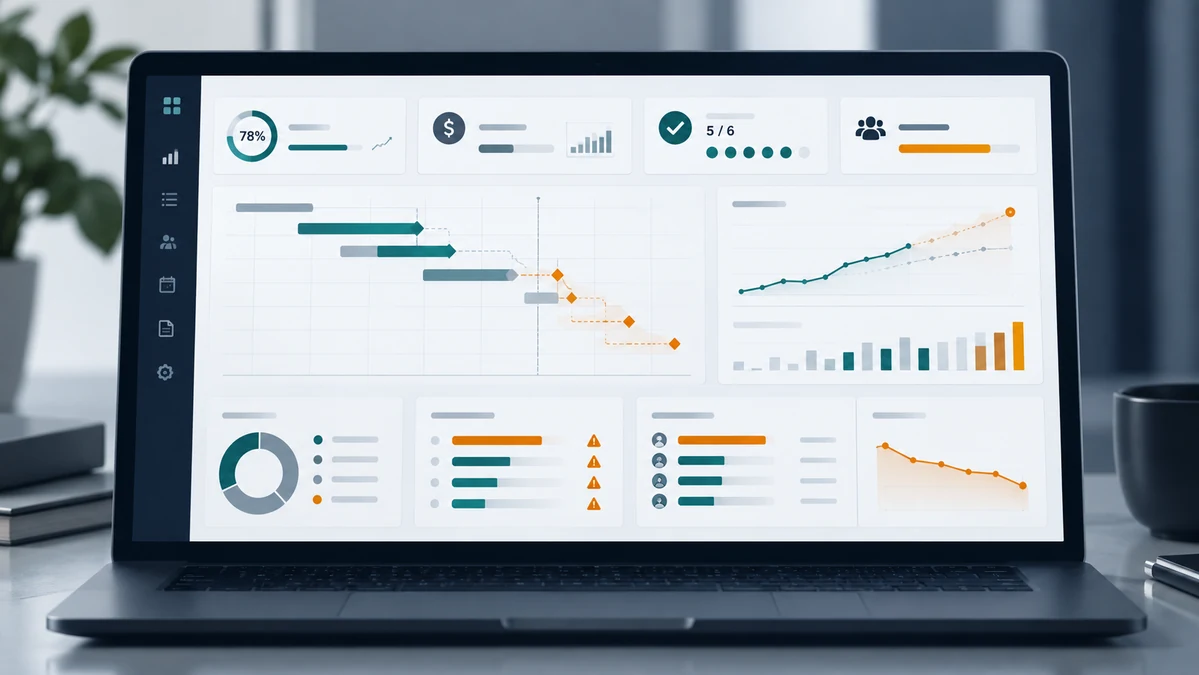
What project monitoring actually means
Project monitoring is the continuous work of observing execution, comparing actual conditions with the plan, interpreting the deviations and deciding whether corrective action is required. PMI describes monitoring and controlling as tracking, reviewing and regulating progress and performance, identifying where the plan needs to change and initiating those changes. The important word is not tracking. It is action.
If the process stops at observe or compare, you have reporting. You do not yet have control. This is why a project dashboard can contain perfectly accurate information and still be operationally weak: the information also has to be timely, relevant to a decision and connected to a clear response. A dashboard that reports a milestone as late after its date has passed is accurate. A monitoring view that shows the forecast date moving for three consecutive updates is useful earlier.
Reporting tells you what happened. Monitoring helps you decide whether what happened matters — early enough to act.
Why status reporting often detects problems too late
Traditional status reporting compresses many different signals into a single state: green, amber or red. That compression is useful for communication, but risky when the state rests mainly on human declaration.
Consider a project reported as green because no contractual milestone is officially late, actual spend is still below the approved budget, most tasks are marked in progress and no critical risk has been escalated. The same project may already contain early evidence of deterioration: the forecast date of a key milestone has moved by two weeks, committed costs are rising faster than actual costs, a specialist is allocated beyond realistic capacity, three tasks have been blocked for more than one reporting cycle, a decision required from management is overdue, and several updates are stale.
None of those facts necessarily makes the project red on its own. Together, they may tell you the project is losing room to manoeuvre. This is the core monitoring problem: the important signal is often not a single metric, but a pattern across several metrics — and that pattern gets harder to read as a project grows more complex, which is part of why complex projects fail even under a structured PMO.
Lagging indicators versus early-warning signals
A useful monitoring system distinguishes between two kinds of information.
Lagging indicators
Lagging indicators confirm conditions that have already occurred: actual cost incurred, milestones already missed, defects already recorded, scope changes already approved, work already completed or delayed. They are authoritative and necessary, but by themselves they do not tell you what is likely to become critical next.
Early-warning signals
Early-warning signals indicate that the probability or impact of a future problem may be increasing: repeated movement in forecast milestone dates, rapid growth in committed cost, a rising forecast-to-complete, unresolved blockers ageing across reporting cycles, resource demand exceeding realistic capacity, decisions open beyond their required date, and deteriorating data freshness. PMI research on early-warning signs in complex projects makes an uncomfortable observation: problems often begin early but appear only as weak signals, and practice is weak both at recognising those signs and at acting on them.
Early-warning signals are not predictions of certainty. They are evidence that attention may be required. A good monitoring system should not claim a project will fail because one signal changed — it should make the change visible, show the evidence, and help the project manager decide whether action is necessary.
Seven signals worth monitoring before a project becomes critical
1. Milestone forecast drift
A milestone can still be officially on time while its forecast date repeatedly moves toward or beyond the planned date. The stronger question is therefore not only is the milestone late? but also how has the forecast date changed over the last few reporting cycles? A single movement may be noise. Repeated movement in the same direction is information, so a monitoring view should preserve enough history to show the trend, not only the latest date.
2. Committed cost growth
Actual cost tells you what has already been spent. Committed cost tells you what the project has already economically committed to spend, even if the invoice has not arrived. That difference can make a project look healthier than it is — the same latency between real spend and the plan-versus-actual view that lets a budget look fine until it is suddenly too late.
Illustrative example — not a real project
A project has a revised budget of €1,000,000. Actual cost is €550,000, active committed cost is €310,000, and the forecast to complete the remaining work is €220,000. Looking only at actual cost, the project appears to have €450,000 of budget left. But the estimate at completion is €550,000 + €310,000 + €220,000 = €1,080,000. The potential €80,000 overrun is visible well before actual spend reaches the budget ceiling. The numbers are deliberately simplified to show the logic, not to represent a benchmark or a typical project.
3. Forecast-to-complete deterioration
A forecast is most useful when you monitor its movement, not only its latest value. If the forecast-to-complete rises every week while progress stays flat, the issue may be more important than the current budget variance suggests. The question becomes: is the expected cost of finishing the remaining work getting larger? Watching that movement lets management discuss corrective action while the future cost is still partly controllable — and it is worth being explicit that a moving forecast is not the same as a verified earned-value number.
4. Blocker ageing
A blocked task is not automatically a critical issue. A blocked task that stays unresolved through several reporting cycles is different. The useful monitoring dimensions are therefore when the blocker was raised, who owns the resolution, what is waiting on it, when resolution is expected, and whether that expected date is itself moving. This turns a static "blocked" label into a decision-relevant signal.
5. Resource overload
Project plans often assume capacity that does not exist in practice. A key engineer can appear assigned to every priority activity because each plan is internally consistent while the person's total workload is not. Monitoring should compare planned demand with realistic capacity and answer which role is overloaded, by how much, during which period, which milestones depend on that capacity, and what decision could reduce the exposure — not simply show "resources = red".
6. Overdue decisions
Some project delays are not execution problems. They are decision delays. A design choice, a scope trade-off, a budget approval or a supplier selection can sit unresolved while teams keep reporting task status normally. A decision log is therefore an early-warning instrument: monitor the decision required, its owner or approver, the required-by date, the consequence of delay, and the related task, milestone, budget line or risk. If an important decision becomes overdue, the monitoring view should surface it rather than leave it inside a meeting note.
7. Data freshness and completeness
A monitoring view is only as reliable as the information it inherits. If several workstreams have not updated status for ten days, the absence of a red signal is not evidence that the project is healthy — it may simply mean the monitoring system is blind. Useful checks include the last update timestamp, missing owner, missing forecast date, missing cost update, progress that is inconsistent with dates, and unresolved items with no expected action date. A reliable system distinguishes green from unknown, because unknown is not healthy; it means the evidence is insufficient.
A practical early-warning framework
Instead of asking the project manager to declare a single status by hand, monitoring can be structured around five connected layers.
1. Facts
Authoritative project data: baseline dates, actual dates, actual and committed costs, planned and available capacity, and open risks, issues and decisions.
2. Variance
How current conditions differ from the plan: schedule variance, cost variance, capacity gap, and the ageing of unresolved items.
3. Trend
Whether the variance is stable, improving or deteriorating: forecast-date movement, a rising estimate at completion, recurring blocker age, declining data freshness.
4. Relationship
What the signal actually affects: a milestone, a budget line, a customer commitment, a supplier dependency, a resource bottleneck, or a management decision.
5. Decision
What needs to happen next: accept the risk, replan, reduce scope, add capacity, stop or defer spending, escalate a decision, or investigate data quality.
Reading the dashboard as this chain is more useful than treating it as a collection of independent KPIs.
What a project monitoring dashboard should show
A monitoring dashboard should not try to show everything. It should show the information that changes the next decision. This is the point where monitoring output becomes a decision-oriented project dashboard — current state, trend, early warning and the action each one implies, in one view.
| Area | Current state | Trend | Early warning | Decision / action |
|---|---|---|---|---|
| Schedule | Milestone still open | Deteriorating | Forecast moved +9 days across 3 updates | Review recovery plan |
| Budget | Actual below revised budget | EAC deteriorating | Committed + forecast imply an overrun | Review remaining commitments |
| Resources | Critical roles assigned | Deteriorating | Demand exceeds capacity in the milestone window | Reprioritise or add capacity |
| Blockers | 4 open | Deteriorating | 2 ageing beyond 14 days | Escalate the owners |
| Decisions | 3 open | Deteriorating | 1 required decision overdue | Management decision required |
| Data quality | Partial | Deteriorating | 2 workstreams have stale updates | Refresh evidence before concluding status |
The exact indicators depend on the project, the governance model and the decisions that must be supported. There is no universal minimum dashboard that fits every project. The better design question is: what decisions must this monitoring system support, and what information is sufficient to make them? Once the decision is clear, the necessary signals are easier to define — the same discipline behind choosing metrics that each point to a decision rather than to volume.
What this looks like in ControlRoom
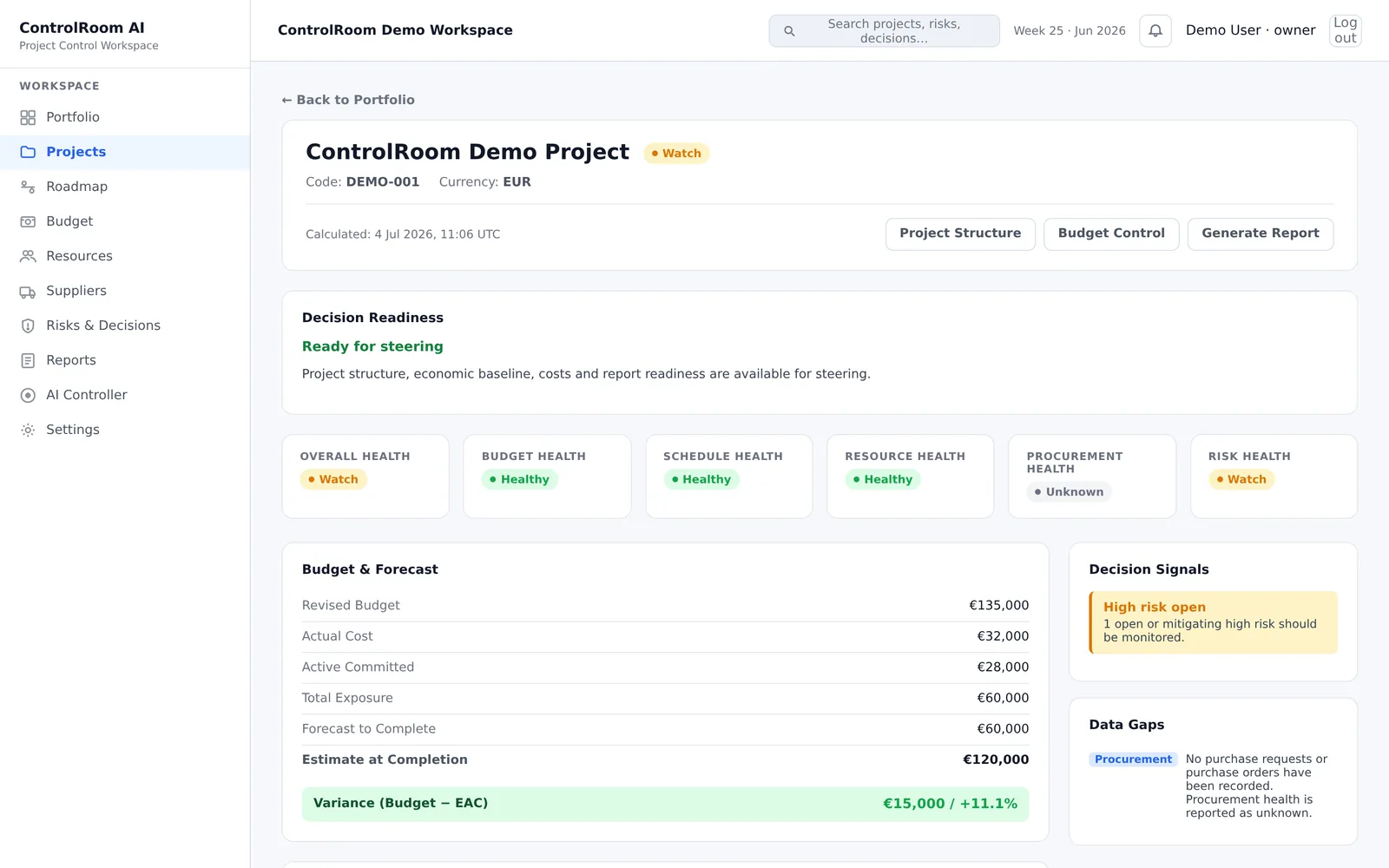
The ControlRoom cockpit brings the early-warning signals this article describes — schedule drift, budget exposure, resource pressure and stalled decisions — into one screen, next to a readiness check for the next review.
From monitoring to decision support
This is where project monitoring and project reporting diverge. Reporting asks: what is the current status? Decision support asks: what changed, why does it matter, what is likely to require attention next, and what decision is needed? Turning those signals into that evidence — variance, trend and relationship connected to a specific decision — is the job of project analytics.
The same signals, reduced further, are what an executive audience needs to see to make better decisions without inheriting the full project detail.
This also creates a clearer role for AI. AI can be useful for summarising several signals into a management-ready explanation, identifying relationships between blockers, risks, milestones and costs, highlighting inconsistent or missing information, explaining why a deterministic indicator changed, and drafting possible actions for human review. But authoritative project facts should still come from deterministic data and rules. AI should not invent the budget variance, decide whether a milestone is late without the source dates, or manufacture confidence where the underlying data is stale.
AI interprets project facts. It does not own the project facts. That separation makes the system easier to trust, explain and audit.
Project monitoring is an operating loop, not a dashboard feature
The strongest monitoring process is not the one with the most charts. It is the one that repeatedly closes this loop:
- capture reliable project facts;
- compare them with the plan;
- detect meaningful variance and trend;
- identify what the signal affects;
- surface the decision or action required;
- record the response;
- monitor again.
The dashboard is simply the interface through which that loop becomes visible. If it only accumulates more information, it creates reporting density. If it helps a manager recognise a changing condition early enough to act, it creates project control. The difference is not the number of metrics. It is decision time gained. PMI's streamlined approach to performance monitoring makes the related point that the value is in better information from less data, with data collection itself as the practical constraint in dynamic environments.
Final checklist: is your project monitoring early enough?
Ask these questions about your current process:
- Do milestone forecasts show movement before a due date is missed?
- Do you monitor committed cost as well as actual cost?
- Can you see whether the estimate at completion is deteriorating over time?
- Do blocked items show age, owner and expected resolution date?
- Can you identify capacity overload before it hits a milestone?
- Are overdue decisions visible alongside tasks and risks?
- Does the view show stale or incomplete project data?
- Can every red or amber signal be traced back to evidence?
- Does every important warning point to a possible decision or action?
If several answers are no, the problem may not be a lack of project data. It may be that your monitoring process is still organised around reporting what happened instead of detecting what requires attention next. That is the shift from project reporting to project decision support.
Sources
- PMI — How do you know the status of your project? Monitoring and controlling — monitoring and controlling as tracking, reviewing and regulating progress, and turning execution data into decisions about corrective action.
- PMI — Early warning signs in complex projects: project failure — emerging problems begin early as weak signals that practice struggles to detect and act on.
- PMI — Identifying and acting on early warning signs in complex projects — barriers such as optimism bias, the absence of an external view, and weak responses even when warning signs are visible.
- PMI — Who moved my project? A streamlined approach to project performance monitoring — better information from less data, with data collection as the practical constraint.
- PMI — Pulse of the Profession 2026: Driving Success in Complex Projects — context on the growing share of projects treated as complex, where weak signals are hardest to read.